
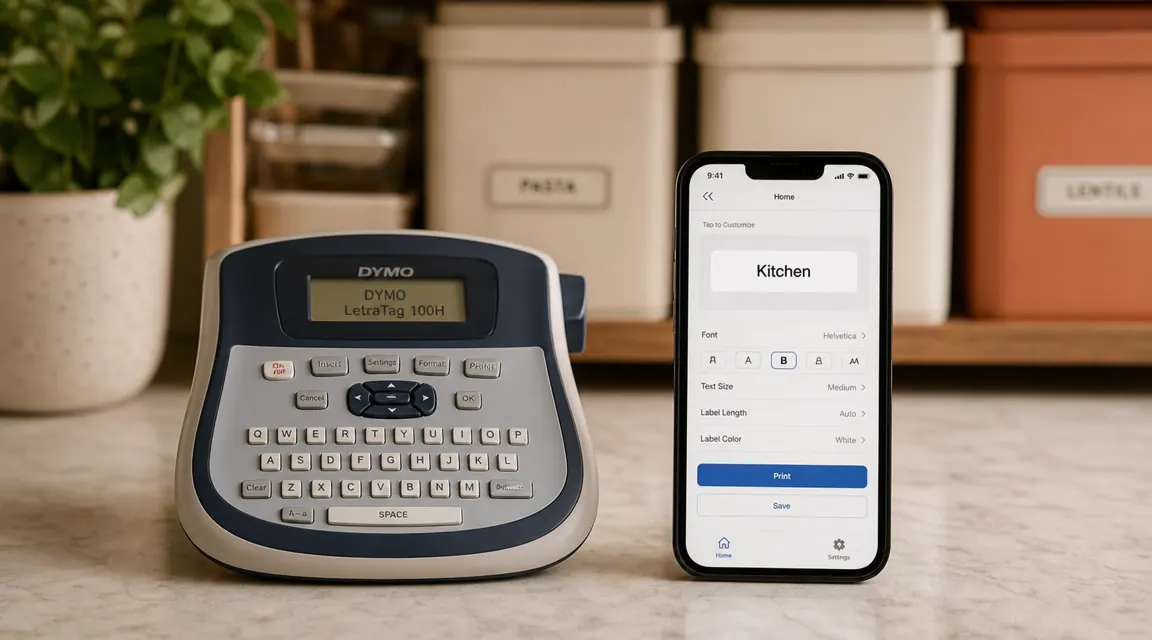
If you spent any time searching for a label maker in the last year, you probably ran across the Bluetooth options. NIIMBOT, Phomemo, Peripage. They look great in product photos, they connect to an app on your phone, and several of them cost within five dollars of the DYMO LetraTag 100H. That comparison stopped me before I bought the DYMO for the third room I organized. I spent about an hour reading through app-connected label maker reviews trying to figure out whether I was about to buy an outdated machine or whether the Bluetooth hype was just that. Here is what I actually found, what the DYMO does well that nobody explains plainly, and three things that genuinely annoyed me that the five-star reviews gloss over.
The DYMO LetraTag 100H has 4.7 stars and over 31,000 reviews. That number sounds like settled science. But reviews on the same product accumulate across years of different buyers with different expectations, and the people who were unhappy with this specific machine are not the same people who left the glowing five-star reviews. I am going to tell you who regrets buying it, because that is the part of the review that is actually useful.
The Quick Verdict
A fast, keyboard-driven label maker that earns its place in a home that needs bulk labeling without any learning curve. But if you want app control, color labels, or a machine you can pick up cold after two weeks and have working in thirty seconds, this is not it.
Amazon Check Today's Price →Your organizing system is already built. Labels are the part that stops people from undoing it.
The DYMO LetraTag 100H ships with three tape cassettes included. Over 31,500 buyers, 4.7 stars. Check whether it is in stock before you start your project.
Amazon Check Today's Price on Amazon →How I've Used It
I have used the DYMO 100H across three separate room organization projects over roughly six months, in short sessions rather than one long marathon. This is how most people actually use a label maker: you get a drawer organizer in the mail, you spend a Sunday afternoon sorting the contents, and then you want to label the compartments before the whole thing loses its structure. The machine lives in a basket on the top shelf of my home office closet. That detail matters because it affects battery drain, which I will get to.
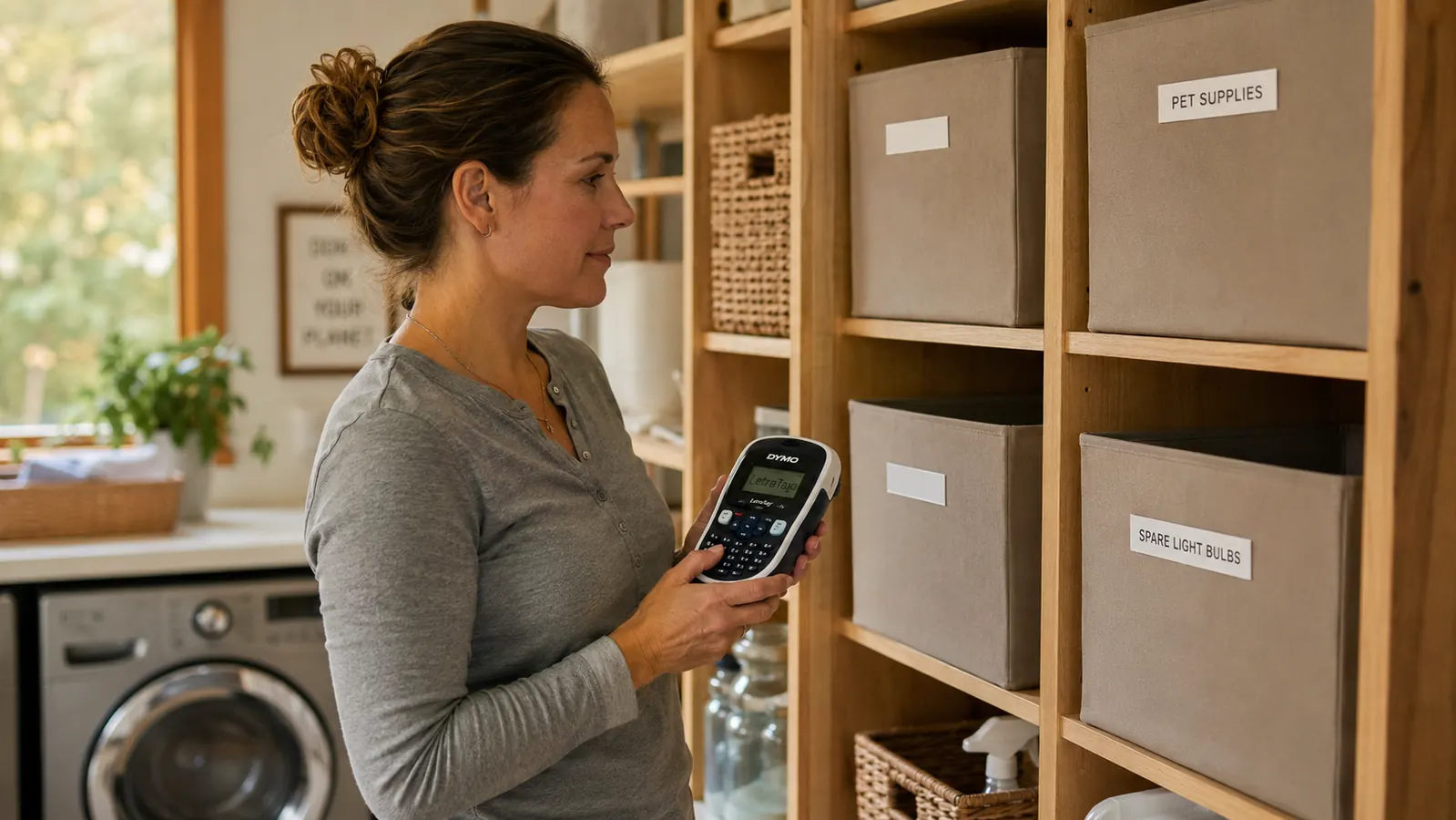
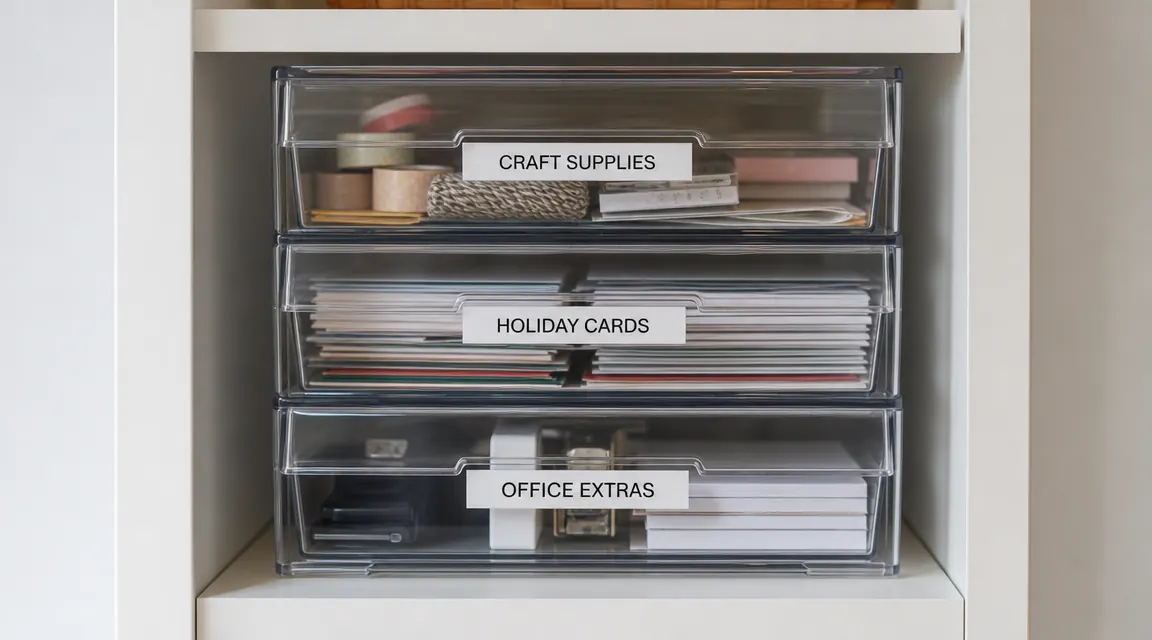
My home office closet has twelve labeled bins for things like tax documents by year, craft supplies sorted by medium, and cables grouped by device type. The utility closet has labels on every shelf edge so I can see at a glance where the cleaning supplies, the paper goods, and the first-aid kit live. I also used it on the kids' bins in the guest room turned homework room, where the goal was a system that a ten-year-old could navigate without asking me where anything was. The DYMO is good for all of this. Where it showed cracks is more specific.
The machine is fast when it is warm and when the batteries are fresh. Insert the cassette, turn it on, type the label, press print. A four-word label takes under twenty seconds from power button to tape in hand. No app to open, no Bluetooth pairing, no phone required. For a quick labeling session, that simplicity is genuinely better than fumbling through an app.
The Bluetooth Label Maker Question, Answered Directly
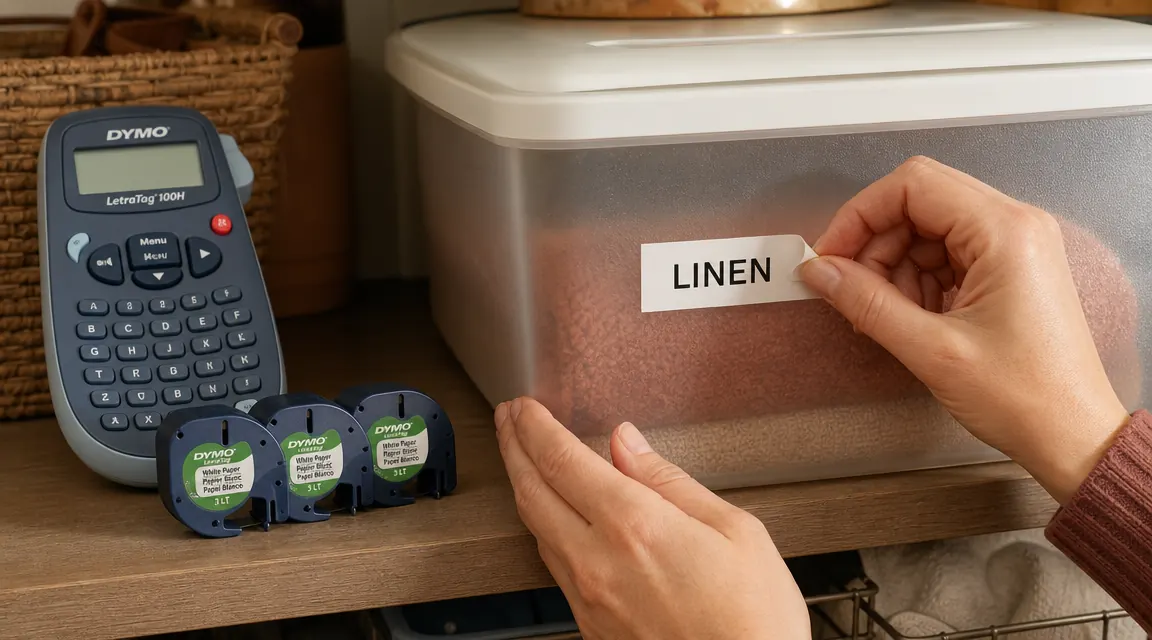
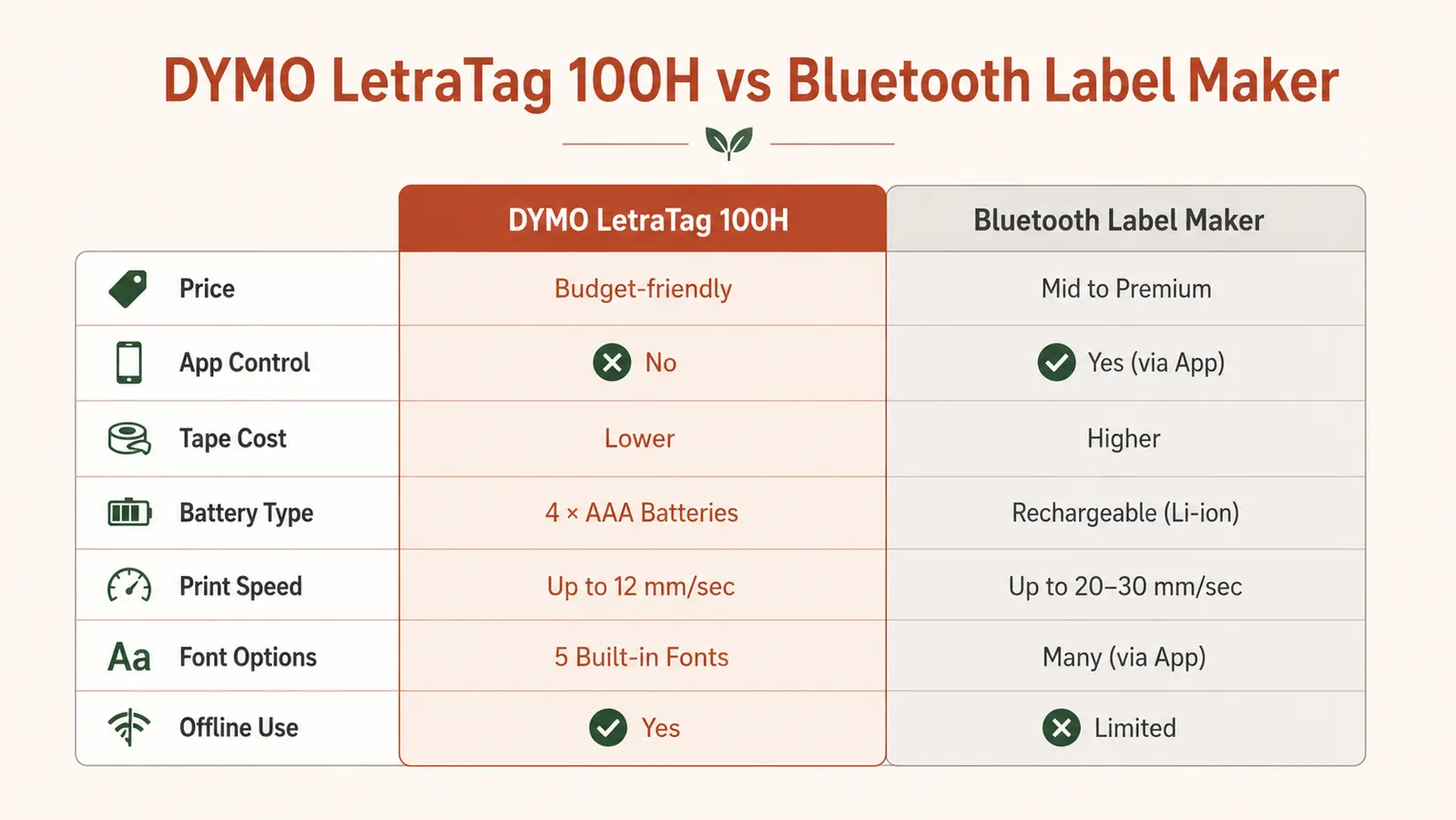
Here is the honest comparison I could not find when I was shopping. Bluetooth label makers like the NIIMBOT D11 or the Phomemo M110 print on thermal paper rolls or laminated tape, depending on the model and cassette you buy. They connect to a phone app, which means you can design a label with custom fonts, icons, and even a small QR code directly from your screen. For someone who wants to print labels that look polished, like a professional pantry organizer would produce, the app-connected options are genuinely better for design.
The catch is the thermal paper. Several popular Bluetooth label makers use non-laminated thermal tape for their basic cassettes. Thermal labels fade in direct sunlight and in environments where temperatures swing, like a garage or a car. If you are labeling a pantry inside a climate-controlled kitchen, thermal labels are probably fine for a year or two. If any of your bins live near a window, in a garage, or in a utility closet that gets warm in summer, the label will fade before the adhesive fails. The DYMO LT tape is plastic film, not thermal paper, which means it does not fade from light or heat.
The second issue with Bluetooth label makers is the pairing step. Every single-use session starts with opening an app, waiting for the Bluetooth connection, and loading the app interface. This is a ten-to-fifteen-second overhead per session. Over five sessions it costs you a minute and a half. Over fifty sessions it starts to feel like friction every time you pull the machine out for one new label. If you are doing a large one-time project and putting the machine away forever, the Bluetooth overhead is irrelevant. If you label things irregularly across months, that pairing step compounds. The DYMO is ready in about three seconds: power on, type, print.
The verdict: if your primary goal is a stunning-looking pantry where every label matches a curated font and every bin has an icon, consider a Bluetooth model with laminated tape. If your goal is a system that works, that you will actually maintain, and that produces readable labels on surfaces ranging from plastic bins to cardboard boxes to metal shelf rails, the DYMO is the more practical tool.
The Tape Peeling Problem Nobody Explains Properly
The DYMO LT tape is not laminated. This is the thing that gets buried in the reviews. Laminated tape has a clear protective layer over the printed ink, which makes it highly resistant to moisture, humidity, and abrasion. DYMO's standard LT cassettes are unlaminated plastic film. The ink is embedded in the tape material rather than sitting on top of a base with a separate protective coat. In practice, what this means is that the tape holds up well on clean, smooth plastic surfaces in a dry indoor environment, but it has two failure modes on difficult surfaces.
Failure mode one: textured surfaces. Frosted plastic bins, slightly rough painted drywall, woven fabric storage baskets. The adhesive does not get full contact across a textured surface the way it does on a smooth one, so the edges lift over time. I have had labels on frosted bins start lifting at the corners after about three months. Pressing them back down with a thumbnail helps temporarily. The fix is to use DYMO's polyester tape cassettes on textured surfaces, which have a more aggressive adhesive. But you have to know to buy that separately; it does not ship in the box.
Failure mode two: anything that gets handled a lot or wiped down. I put labels on the front of drawers in my bathroom organizer. Every time I wiped down the drawer fronts with a damp cloth, the label edges got wet and softened. After about a month, two of those labels peeled off entirely. If a surface gets wiped regularly, use either the polyester cassette or a clear over-laminate strip on top, which is an extra step most people are not going to take. On surfaces that stay dry and do not get touched directly, the standard LT tape is completely fine.
The tape is not the problem on smooth dry bins. The tape is the problem anywhere near water, on textured surfaces, or anywhere someone will be wiping down a counter. Know your surface before you print.
Battery Drain and the Cold-Storage Problem
The DYMO 100H takes four AA alkaline batteries. DYMO recommends alkaline specifically because the machine uses a small heating element in the print head to transfer ink to the tape. Rechargeable NiMH batteries run at a slightly lower voltage than alkalines, and in cold environments or when they are partially discharged, that voltage difference can cause inconsistent printing: faint labels, skipped characters, or a machine that powers on but refuses to print at all. I learned this after a session in my garage in February when temps were in the low 40s Fahrenheit. The labels printed at about sixty percent of normal darkness. Fresh alkalines from a warm house fixed it immediately.
The second battery issue is dormant drain. If you store the machine with batteries installed and do not use it for a month or two, the batteries lose charge sitting in the device. I do not know exactly how fast this happens, but I have opened the machine after a six-week gap twice now and found the batteries noticeably weaker than when I stored it. The machine still printed, but the labels were faint until the batteries warmed up. My solution is to store the machine without batteries once a room project is done and drop in fresh AAs when I start the next one. That adds thirty seconds to setup but eliminates the dead-battery-mid-session frustration.
The Manual Cutter: A Small Annoyance That Adds Up
After the tape prints, you advance it and cut it with a manual lever on the side of the machine. This is not automatic. You press a small button that drives a blade through the tape. The cut is clean about ninety percent of the time. The other ten percent, the blade does not complete the cut on the first press and you have to press again, which sometimes drags the tape sideways and creates a slightly angled cut. The resulting label is a few millimeters shorter on one side. On a bin label, this is invisible. On a shelf-edge strip where the tape runs close to the wall and every millimeter is visible, it is a minor cosmetic issue.
The tape also feeds about a half-inch of blank leader before the text starts printing. This blank leader gets cut off as waste. Across forty or fifty labels in a session, that waste is about two feet of tape, which is roughly one-eighth of a cassette. Not a catastrophe, but worth knowing when you are budgeting cassettes for a large project. The leader waste is a hardware characteristic of this style of label maker; the Bluetooth thermal models that use roll tape have the same issue.
Who Regrets Buying the DYMO LetraTag 100H
Based on the patterns in the one-star and two-star reviews, three types of buyers are disappointed. First, people who wanted app control and custom fonts. They bought the DYMO without realizing it has no Bluetooth, found the font options limited to a handful of built-in styles, and wanted something that looked more designed. If you have seen the aesthetic pantry-label styles on Instagram and that is the end state you are imagining, this machine is not the path to that look. You want an app-connected model with laminated tape.
Second, people who label infrequently and in small quantities. If you need to label three things in your junk drawer and then you are done, the machine is probably not worth buying at this price. A roll of Avery labels and a printer, or even a Sharpie on masking tape, will serve you better. The DYMO earns its place when you have a real multi-room or multi-bin system to lock in, not for three labels a year.
Third, people who applied labels to surfaces they did not prep properly. Labels applied over dust, grease, or residue from old stickers fail fast. The adhesive needs a clean, dry surface. This is not a DYMO limitation specifically; it is true of any pressure-sensitive adhesive. But the reviews that blame the tape for peeling often describe surfaces that sound like they were not cleaned first.
What I Liked
- Faster than any app-connected machine for quick single-label sessions
- LT plastic tape does not fade from sunlight or heat (unlike thermal paper rolls)
- Full QWERTY keyboard is comfortable and genuinely fast to type on
- Three cassettes included in the box covers most starting projects
- No app required, no Bluetooth pairing, ready in three seconds
Where It Falls Short
- Standard LT tape is not laminated, peels on textured or damp surfaces
- No settings memory, font size resets after every auto-power-off
- Manual cutter occasionally produces an angled cut on thin tape
- Batteries drain in storage and underperform in cold conditions
- No app control, no custom fonts, no icons or graphics in labels
Who This Is For
The DYMO LetraTag 100H is the right choice if you need to label a lot of things in a dry indoor environment and you want a machine that works without a phone. It is best for people who are setting up a real organizing system across multiple rooms and want readable, durable labels on smooth plastic bins, clear container lids, shelf edges, and cardboard file boxes. If your surfaces are clean, flat, and dry, the standard LT tape will hold for years. If you are a person who grabs the machine for ten minutes here, another ten minutes next month, and just wants to type a label and press print without opening an app, this is the machine for that workflow. The included three cassettes mean you can label an entire room before you run out of tape, which removes the shopping interruption from a momentum-driven project.
Who Should Skip It
Skip the DYMO LetraTag 100H if you want labels with custom fonts, icons, or a polished aesthetic you can design from your phone. Bluetooth label makers with laminated tape cassettes are now available at a comparable price and give you far more design control if that matters to you. Also skip it if you are labeling surfaces that will see moisture, direct wiping, or outdoor temperatures. The standard LT tape is not built for damp utility closets, bathroom cabinets that get splashed, or any outside storage. And skip it if you expect to use it fewer than twenty or thirty times total. At that volume, the machine does not deliver enough value over a box of peel-and-write labels to justify the cost. This machine is for people building a system, not people labeling a couple of bins.
If the comparison is settled for you, here is where to check current availability and price.
The DYMO LetraTag 100H with three included tape cassettes is the fastest path to a labeled, maintainable home organizing system for most people. 31,500-plus reviews, 4.7 stars. Stock levels on this one move.
Amazon Check Today's Price on Amazon →